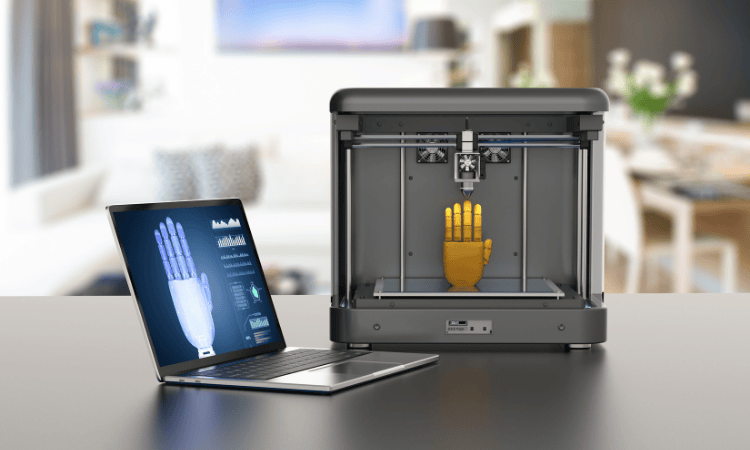
Stepping into 3D printing for the first time can feel a little overwhelming, so many brands, so many options, and a ton of technical terms flying around. But here’s the exciting part: you don’t need to be a tech wizard to start creating amazing things. With the right guidance, anyone can turn ideas into real objects, right from their desk or workshop.
3D printing isn’t just about making gadgets or toys. It’s about bringing your imagination to life. You can print custom tools, home decor, miniatures, prototypes, and even parts for DIY projects. And the best part? You learn as you go, improving your skills with every print.
Choosing the right printer is one of the most important decisions as a beginner. The wrong choice can lead to frustration, failed prints, or endless troubleshooting. That’s why this guide focuses on brands that are beginner-friendly, reliable, and backed by strong support. You’ll get an easy start while still having room to grow as your skills improve.
In this guide, we’ll explore everything you need to know:
- How 3D printers work and the types you can choose from
- The key factors that make a printer beginner-friendly
- How to set up your printer and make your first successful print
- Tips, tricks, and common mistakes to avoid
- And of course, the top 3D printer brands for beginners in the USA: Elegoo, Anycubic, QIDI Tech, and Flashforge, so you know which ones will make your journey smooth and fun
By the end of this guide, you’ll have the confidence to pick a printer, start printing, and enjoy the process without getting stuck in technical headaches. Your 3D printing adventure starts here, and it’s going to be fun, creative, and surprisingly easy!
Understanding 3D Printing Basics:
Before your first print, it’s important to know the two main types of 3D printers:
FDM (Filament) Printers: These melt plastic filament layer by layer. Perfect for larger prints, functional parts, and everyday projects. Beginner-friendly brands: Anycubic, QIDI Tech, Flashforge.
Resin Printers: Use liquid resin hardened by UV light. Ideal for miniatures and high-detail prints. Beginner-friendly brands: Elegoo, Anycubic.
How It Works: Think of 3D printing like building a cake layer by layer. Each layer must be precise for the final print to look right.
Key Terms:
- Layer Height: Smaller layers = more detail.
- Slicer: Software that tells the printer what to do.
- Filament Types: PLA, ABS, PETG for FDM; special resins for resin printers.
- Build Volume: Max size your printer can print.
- Supports: Temporary structures for overhangs, removed after printing.
Choosing Your First 3D Printer:
Picking your first 3D printer can feel overwhelming, but here’s the key: the brand you choose matters more than you think. A good brand makes setup easy, provides reliable support, and ensures your prints actually come out right, so you spend time creating, not troubleshooting.
Here’s a quick look at four beginner-friendly brands in the USA:
Elegoo: Perfect for beginner-friendly resin printing. You get high-detail prints without a steep learning curve. Plus, using an Elegoo coupon code can help you get started at a lower price.
Anycubic: Offers a balance between resin and filament printing, giving new users flexibility to experiment with different materials. Easy to use and consistent results make it beginner-friendly.
QIDI Tech: Known for reliable, enclosed printers that are safe and perfect if you want to grow your skills. Their printers handle longer, more complex prints well. Don’t forget, a QIDI coupon code can save you some money while getting a dependable machine.
Flashforge: Ideal for plug-and-play printing. The design focuses on safety and a clean workspace, making it great for schools, offices, or beginners who want minimal setup hassle.
When choosing, keep these factors in mind:
- Price: Make sure it fits your budget without compromising quality.
- Print Quality: Look for consistent results out of the box.
- Size/Build Volume: Bigger prints need bigger machines.
- Safety: Especially important for resin printing or kids around.
- Support: Easy access to manuals, guides, and replacement parts is a lifesaver.
Pick a printer that matches your comfort level, project type, and long-term goals, and you’ll be printing confidently from day one.
Setting Up Your 3D Printer:
Setting up your first 3D printer is easier than it sounds, especially with beginner-friendly brands like Elegoo, Anycubic, QIDI Tech, and Flashforge. A smooth setup means you can start printing faster and avoid frustration.
1. Unboxing and Placement
- Choose a stable, flat surface away from drafts or direct sunlight.
- Make sure you have enough space for your printer and any tools or materials.
2. Initial Setup
- Most beginner-friendly printers are plug-and-play, just assemble a few parts and connect to power.
- Follow the step-by-step instructions provided by the brand. Online tutorials or brand forums can be super helpful.
3. Software and Slicer
- Install the slicer software that comes with your printer. This is what translates your 3D model into printer instructions.
- Load a sample model and check the settings for layer height, speed, and supports.
4. Bed Leveling and First Test Print
- Proper bed leveling ensures your first layer sticks well, this is critical for a successful print.
- Start with a small test print. It helps you see how the printer works and lets you adjust any settings.
5. Safety Tips
- Keep the area ventilated for resin printers like Elegoo or Anycubic.
- Avoid touching hot parts and wear gloves when handling resin.
- Clean up spills immediately and follow manufacturer safety guidelines.
A well-prepared setup makes your first print a smooth experience and builds confidence for future projects. With beginner-friendly brands, most of the hard work is already done for you, just follow the steps, and your printer will be ready to bring your ideas to life.
Printing Your First Project:
Now comes the fun part, actually printing something! For beginners, this is where you see your ideas come to life. With brands like Elegoo, Anycubic, QIDI Tech, and Flashforge, the process is designed to be as smooth and stress-free as possible.
1. Pick a Simple Model
- Start with something small and easy, a keychain, figurine, or simple tool.
- Avoid complex designs for your first print to reduce errors and frustration.
2. Prepare Your File in the Slicer
- Import your model into the slicer software.
- Check key settings like layer height, supports, and print speed.
- Most beginner-friendly printers come with preset profiles, so you don’t need to guess.
3. Start the Print and Monitor
- Hit print and watch the first few layers carefully.
- Make sure the print sticks to the bed and no layers are peeling.
- For resin printers like Elegoo or Anycubic, ensure the resin vat is clean and the build plate is properly leveled.
4. Post-Processing
- FDM prints: Remove supports, sand if needed, and enjoy your creation.
- Resin prints: Rinse with alcohol, cure under UV light, and carefully remove supports.
5. Learn from Each Print
- Every print teaches something, from settings tweaks to material handling.
- Don’t worry if the first few prints aren’t perfect. Even small mistakes help you improve quickly.
With the right beginner-friendly printer, your first project will feel rewarding, and you’ll gain the confidence to try bigger or more detailed designs. Remember, printing is as much about learning as creating, so enjoy the process!
Common Challenges Beginners Face
Starting with 3D printing is exciting, but mistakes happen — and that’s totally normal. Knowing what to expect helps you fix problems faster and enjoy the process more.
1. Prints Not Sticking to the Bed
- One of the most common beginner issues.
- Solution: Check bed leveling, clean the build surface, and use the right first-layer settings. Beginner-friendly printers like Flashforge and QIDI Tech make bed leveling easier, reducing frustration.
2. Warping or Layer Shifting
- Happens mostly with FDM printers when temperature or adhesion isn’t stable.
- Enclosed printers like QIDI Tech help maintain consistent temperature, while Anycubic and Flashforge offer simple fixes for beginners.
3. Resin Mess and Cleanup
- For resin printers like Elegoo and Anycubic, handling liquid resin can be tricky at first.
- Always wear gloves, use a well-ventilated area, and follow manufacturer instructions for cleaning and curing.
4. Overhangs and Supports Issues
- Sometimes overhanging parts fail if supports aren’t added.
- Most slicers offer automatic support generation, which makes life easier for beginners.
5. Software Settings Confusion
- Too fast, too thin, or wrong layer height can ruin prints.
- Using preset profiles from beginner-friendly brands removes much of this guesswork.
Pro Tip: Every failed print is a learning opportunity. With support from the community and guides for Elegoo, Anycubic, QIDI Tech, and Flashforge, troubleshooting becomes simpler and faster.
Beginner-Friendly Materials:
Choosing the right material is key to a smooth start in 3D printing. The right filament or resin makes your prints easier, cleaner, and less frustrating.
1. FDM Filaments (Plastic Spools)
- PLA: The easiest filament for beginners, low-warp, eco-friendly, and works with almost any FDM printer like Anycubic, QIDI Tech, or Flashforge.
- ABS: Stronger and heat-resistant but trickier to print, better once you gain experience.
- PETG: A good middle ground, durable and beginner-friendly if your printer can handle it.
2. Resin Materials
- Standard Resin: Ideal for beginners using Elegoo or Anycubic resin printers. Produces smooth, detailed prints.
- Tough or Flexible Resin: Advanced options for when you’re ready to explore beyond basic prints.
Tips for Beginners:
- Start with easy-to-use PLA or standard resin to avoid frustration.
- Always store materials properly, keep filaments dry, and resins sealed.
- Use small test prints before larger projects to save material and time.
Using beginner-friendly materials with the right printer makes your first prints successful and fun, helping you build confidence before trying advanced filaments or resins.
Maintaining Your 3D Printer:
Keeping your 3D printer in good shape is simple but important, especially as a beginner. A little care goes a long way in avoiding failed prints and extending your printer’s life.
1. Cleaning
- For FDM printers like Anycubic, QIDI Tech, and Flashforge: clean the build plate regularly and remove leftover filament.
- For resin printers like Elegoo and Anycubic: rinse the resin vat and build plate after every print and handle resin carefully with gloves.
2. Lubrication and Moving Parts
- Apply a little lubricant on rods and bearings to keep movements smooth.
- Check belts and screws periodically, a loose part can affect print quality.
3. Software and Firmware Updates
- Keep your printer’s software and firmware up to date. Updates improve stability, add features, and fix bugs.
4. Replacing Parts
- Parts like nozzles, build plates, and resin vats wear out over time.
- Beginner-friendly brands like Elegoo and QIDI Tech have easy access to spare parts, and using a coupon code can save money on replacements.
5. Regular Checks
- Make sure the bed is level before every print.
- Inspect the printer for dust or debris that might block movement.
Pro Tip: A little daily or weekly maintenance keeps your printer reliable and stress-free, so you spend more time printing and less time troubleshooting.
Final Thoughts: Start Small, Dream Big
Starting your 3D printing journey can feel a little intimidating at first, but the truth is, anyone can do it with the right guidance and printer. Beginner-friendly brands like Elegoo, Anycubic, QIDI Tech, and Flashforge make it easier than ever to turn ideas into real objects without frustration.
Remember: start small, pick simple projects, and use beginner-friendly materials. Learn the basics, follow safety tips, and don’t stress over mistakes, even failed prints are part of the learning process.
With the right printer, good maintenance, and some patience, you can gradually move from small practice prints to more complex, creative projects. Tools like slicers, community forums, and support from these brands make growing your skills fun and rewarding.
In the end, 3D printing is all about exploring your creativity, experimenting, and bringing your imagination to life. Pick a printer that fits your needs, start printing confidently, and watch your ideas take shape, one layer at a time.